 ROOKIE GAMER
Quick tip: GTA 6 changes what the buttons do depending on what you're doing, so the same button can mean different things on foot and in a car. These are the Default layout controls. PlayStation's X button is called X here (the cross button).
On foot controls
Walking, running, climbing and talking to people.
| Action | PS5 | Xbox | How |
|---|---|---|---|
| Move | Left stick | Left stick | Tilt |
| Run / sprint | L3 (click left stick) | LS (click left stick) | Click |
| Look around | Right stick | Right stick | Tilt |
| Look behind | R3 (click right stick) | RS (click right stick) | Hold |
| Jump / climb | X | A | Press |
| Crouch | Circle | B | Press |
| Rest | Circle | B | Hold |
| Melee attack | Square | X | Press |
| Interact | Triangle | Y | Press |
| Take cover | R1 | RB | Press |
| Shoot | R2 | RT | Press |
| Aim / interact | L2 | LT | Hold |
| Holster weapon | L1 | LB | Press |
| Weapon loadout | L1 | LB | Hold |
| Cellphone | D-pad ↑ | D-pad ↑ | Press |
| Waink app | D-pad ↑ | D-pad ↑ | Hold |
| Radio controls | D-pad ← | D-pad ← | Press |
| Radio menu | D-pad ← | D-pad ← | Hold |
| Objective / minimap | D-pad ↓ | D-pad ↓ | Press |
| Quick navigation | D-pad ↓ | D-pad ↓ | Hold |
| Detonate explosives | D-pad → | D-pad → | Press |
| Partner menu | D-pad → | D-pad → | Hold |
| Map | Touchpad | View | Press |
| Pause | Options | Menu | Press |
Aiming controls
Pulling out a weapon, aiming and firing.
| Action | PS5 | Xbox | How |
|---|---|---|---|
| Aim (keep holding) | L2 | LT | Hold |
| Shoot | R2 | RT | Press |
| Take cover | R1 | RB | Press |
| Quick throw | R1 | RB | Hold |
| Quick-swap weapon | Triangle | Y | Press |
| Melee | Square | X | Press |
| Crouch | Circle | B | Press |
| Zoom / throw path | R3 (click right stick) | RS (click right stick) | Click |
| Aim around | Right stick | Right stick | Tilt |
| Move | Left stick | Left stick | Tilt |
| Run | L3 (click left stick) | LS (click left stick) | Click |
| Holster | L1 | LB | Press |
| Loadout | L1 | LB | Hold |
| Zoom scope in | D-pad ↑ | D-pad ↑ | Hold |
| Switch shoulder | D-pad ← | D-pad ← | Hold |
| Zoom scope out | D-pad ↓ | D-pad ↓ | Hold |
| Detonate explosives | D-pad → | D-pad → | Hold |
| Map | Touchpad | View | Press |
| Pause | Options | Menu | Press |
Don't just read the buttons. See every move.
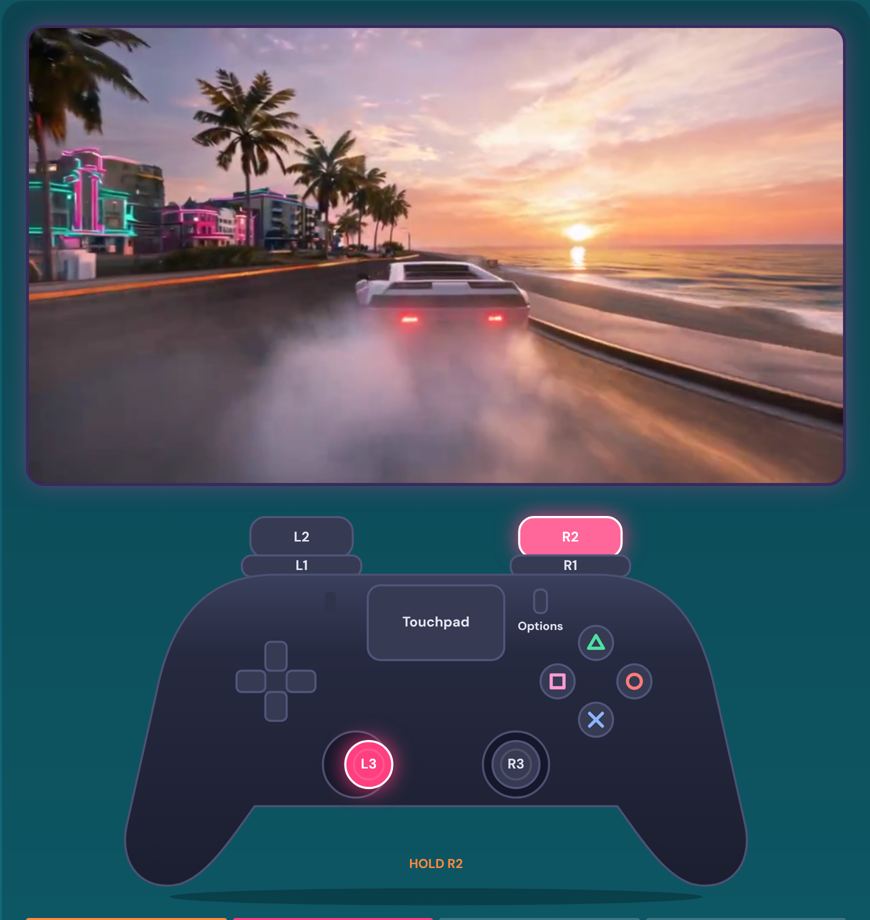
Rookie Gamer's interactive GTA 6 guide plays each move in a realistic Miami scene while the controller underneath lights up exactly which buttons to press, with a voiceover talking you through it. 13 lessons, a 10-pin First Five Hours route with Jessica's voice, a button drill game and a printable cheat sheet. PS5 and Xbox.
🎁 The perfect Christmas gift for any new gamer. Instant digital delivery.
See the GTA 6 + FC 27 bundle in the shop →Fist fight controls
Punching, blocking and dodging when it kicks off.
| Action | PS5 | Xbox | How |
|---|---|---|---|
| Lock on / strafe | L2 | LT | Hold |
| Punch / kick | Square | X | Press |
| Block / dodge | X | A | Press |
| Grapple | R2 | RT | Press |
| Move | Left stick | Left stick | Tilt |
| Look | Right stick | Right stick | Tilt |
| Map | Touchpad | View | Press |
| Pause | Options | Menu | Press |
Cars & boats controls
Driving, handbrake turns, the radio and boats.
| Action | PS5 | Xbox | How |
|---|---|---|---|
| Accelerate | R2 | RT | Hold |
| Brake / reverse | L2 | LT | Hold |
| Steer | Left stick | Left stick | Tilt |
| Handbrake | X | A | Press |
| Get out | Triangle | Y | Press |
| Shoot (drive-by) | R1 | RB | Press |
| Melee | Square | X | Press |
| Headlights | Circle | B | Press |
| Duck | Circle | B | Hold |
| Horn / nitrous | L3 (click left stick) | LS (click left stick) | Click |
| Look | Right stick | Right stick | Tilt |
| Look behind | R3 (click right stick) | RS (click right stick) | Hold |
| Holster | L1 | LB | Press |
| Loadout | L1 | LB | Hold |
| Cellphone | D-pad ↑ | D-pad ↑ | Press |
| Interact | D-pad ↑ | D-pad ↑ | Hold |
| Indicate left | D-pad ← | D-pad ← | Press |
| Vehicle menu | D-pad ← | D-pad ← | Hold |
| Objective / minimap | D-pad ↓ | D-pad ↓ | Press |
| Quick navigation | D-pad ↓ | D-pad ↓ | Hold |
| Indicate right | D-pad → | D-pad → | Press |
| Partner menu | D-pad → | D-pad → | Hold |
| Map | Touchpad | View | Press |
| Pause | Options | Menu | Press |
Aircraft controls
Taking off, steering and landing planes and helicopters.
| Action | PS5 | Xbox | How |
|---|---|---|---|
| Throttle up | R2 | RT | Hold |
| Throttle down | L2 | LT | Hold |
| Pitch / roll | Left stick | Left stick | Tilt |
| Yaw left | Square | X | Press |
| Yaw right | Circle | B | Press |
| Shoot | R1 | RB | Press |
| Get out | Triangle | Y | Press |
| Undercarriage | L3 (click left stick) | LS (click left stick) | Click |
| Look | Right stick | Right stick | Tilt |
| Look behind | R3 (click right stick) | RS (click right stick) | Hold |
| Holster | L1 | LB | Press |
| Cellphone | D-pad ↑ | D-pad ↑ | Press |
| Radio controls | D-pad ← | D-pad ← | Press |
| Vehicle menu | D-pad ← | D-pad ← | Hold |
| Objective / minimap | D-pad ↓ | D-pad ↓ | Press |
| Quick navigation | D-pad ↓ | D-pad ↓ | Hold |
| Partner menu | D-pad → | D-pad → | Hold |
| Map | Touchpad | View | Press |
| Pause | Options | Menu | Press |
Your First Five Hours, pin by pin
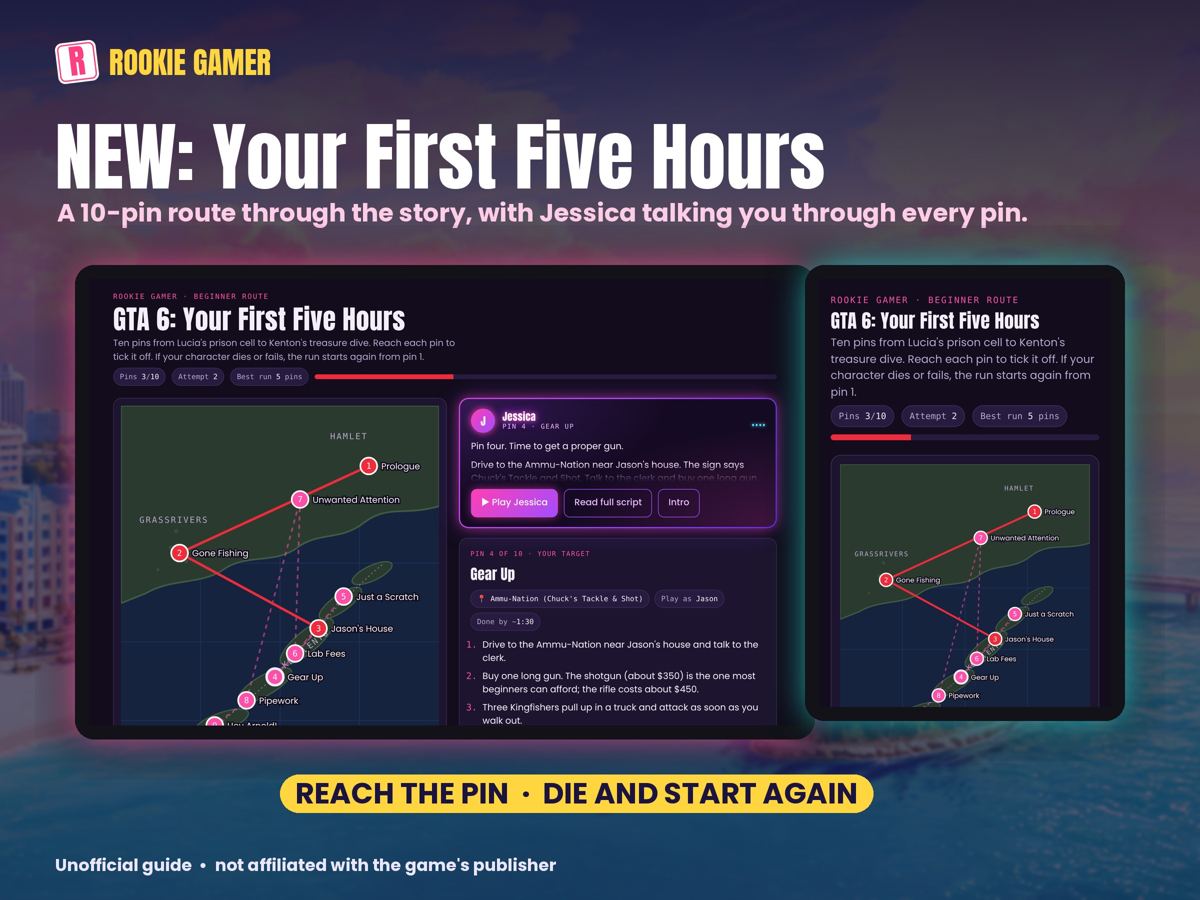
A 10-pin route from Lucia's prison cell to Kenton's treasure dive. Jessica talks you through every pin. Die and you start again from pin 1.
Bicycle controls
Pedalling, bunnyhops and tricks.
| Action | PS5 | Xbox | How |
|---|---|---|---|
| Pedal | R2 | RT | Hold |
| Brake / reverse | L2 | LT | Hold |
| Turn / lean | Left stick | Left stick | Tilt |
| Bunnyhop | Circle | B | Press |
| Sprint | X | A | Press |
| Get off | Triangle | Y | Press |
| Shoot | R1 | RB | Press |
| Melee | Square | X | Press |
| Bell | L3 (click left stick) | LS (click left stick) | Click |
| Look | Right stick | Right stick | Tilt |
| Look behind | R3 (click right stick) | RS (click right stick) | Hold |
| Holster | L1 | LB | Press |
| Loadout | L1 | LB | Hold |
| Cellphone | D-pad ↑ | D-pad ↑ | Press |
| Interact | D-pad ↑ | D-pad ↑ | Hold |
| Objective / minimap | D-pad ↓ | D-pad ↓ | Press |
| Quick navigation | D-pad ↓ | D-pad ↓ | Hold |
| Partner menu | D-pad → | D-pad → | Hold |
| Map | Touchpad | View | Press |
| Pause | Options | Menu | Press |
Swimming controls
Swimming, diving underwater and coming back up.
| Action | PS5 | Xbox | How |
|---|---|---|---|
| Swim | Left stick | Left stick | Tilt |
| Swim faster | L3 (click left stick) | LS (click left stick) | Click |
| Dive | R1 | RB | Press |
| Surface | X | A | Press |
| Shoot | R2 | RT | Press |
| Aim / strafe | L2 | LT | Hold |
| Melee | Square | X | Press |
| Look | Right stick | Right stick | Tilt |
| Look behind | R3 (click right stick) | RS (click right stick) | Hold |
| Holster | L1 | LB | Press |
| Loadout | L1 | LB | Hold |
| Radio controls | D-pad ← | D-pad ← | Press |
| Radio menu | D-pad ← | D-pad ← | Hold |
| Objective / minimap | D-pad ↓ | D-pad ↓ | Press |
| Quick navigation | D-pad ↓ | D-pad ↓ | Hold |
| Partner menu | D-pad → | D-pad → | Hold |
| Map | Touchpad | View | Press |
| Pause | Options | Menu | Press |
Parachute controls
Skydiving, opening the chute and steering to land.
| Action | PS5 | Xbox | How |
|---|---|---|---|
| Open parachute | X | A | Press |
| Steer | Left stick | Left stick | Tilt |
| Brake left | L2 | LT | Hold |
| Brake right | R2 | RT | Hold |
| Detach parachute | Triangle | Y | Press |
| Shoot | R1 | RB | Press |
| Look | Right stick | Right stick | Tilt |
| Look behind | R3 (click right stick) | RS (click right stick) | Hold |
| Holster | L1 | LB | Press |
| Loadout | L1 | LB | Hold |
| Cellphone | D-pad ↑ | D-pad ↑ | Press |
| Waink app | D-pad ↑ | D-pad ↑ | Hold |
| Radio controls | D-pad ← | D-pad ← | Press |
| Radio menu | D-pad ← | D-pad ← | Hold |
| Objective / minimap | D-pad ↓ | D-pad ↓ | Press |
| Quick navigation | D-pad ↓ | D-pad ↓ | Hold |
| Partner menu | D-pad → | D-pad → | Hold |
| Map | Touchpad | View | Press |
| Pause | Options | Menu | Press |
Don't just read the buttons. See every move.
Rookie Gamer's interactive GTA 6 guide plays each move in a realistic Miami scene while the controller underneath lights up exactly which buttons to press, with a voiceover talking you through it. 13 lessons, a 10-pin First Five Hours route with Jessica's voice, a button drill game and a printable cheat sheet. PS5 and Xbox.
🎁 The perfect Christmas gift for any new gamer. Instant digital delivery.
See the GTA 6 + FC 27 bundle in the shop →GTA 6 controls FAQ
How do you sprint in GTA 6?
Click in the left stick: L3 (click left stick) on PS5, LS (click left stick) on Xbox. In the Default layout you don't need to mash a button to sprint.
How do you jump and climb in GTA 6?
Press X on PS5 or A on Xbox. Next to a ledge, the same button climbs.
How do you aim and shoot in GTA 6?
Hold L2 on PS5 (LT on Xbox) to aim, then press R2 (RT on Xbox) to fire.
How do you take cover in GTA 6?
Press R1 on PS5 or RB on Xbox next to a wall or a car.
Is this an official Rockstar guide?
No. Rookie Gamer is an unofficial fan guide, not affiliated with Rockstar Games or Take-Two. Button layouts are for the Default control scheme at launch and a patch can change details.